

Make AI work.
From AI you chat with, to AI that gets work done.
mitsumonoAI workspace connects AI, data, and workflows in one place — an AI platform for companies that supports everything from everyday tasks to AI use across the whole organization.
Runs in your own environment. From just you to the whole company.
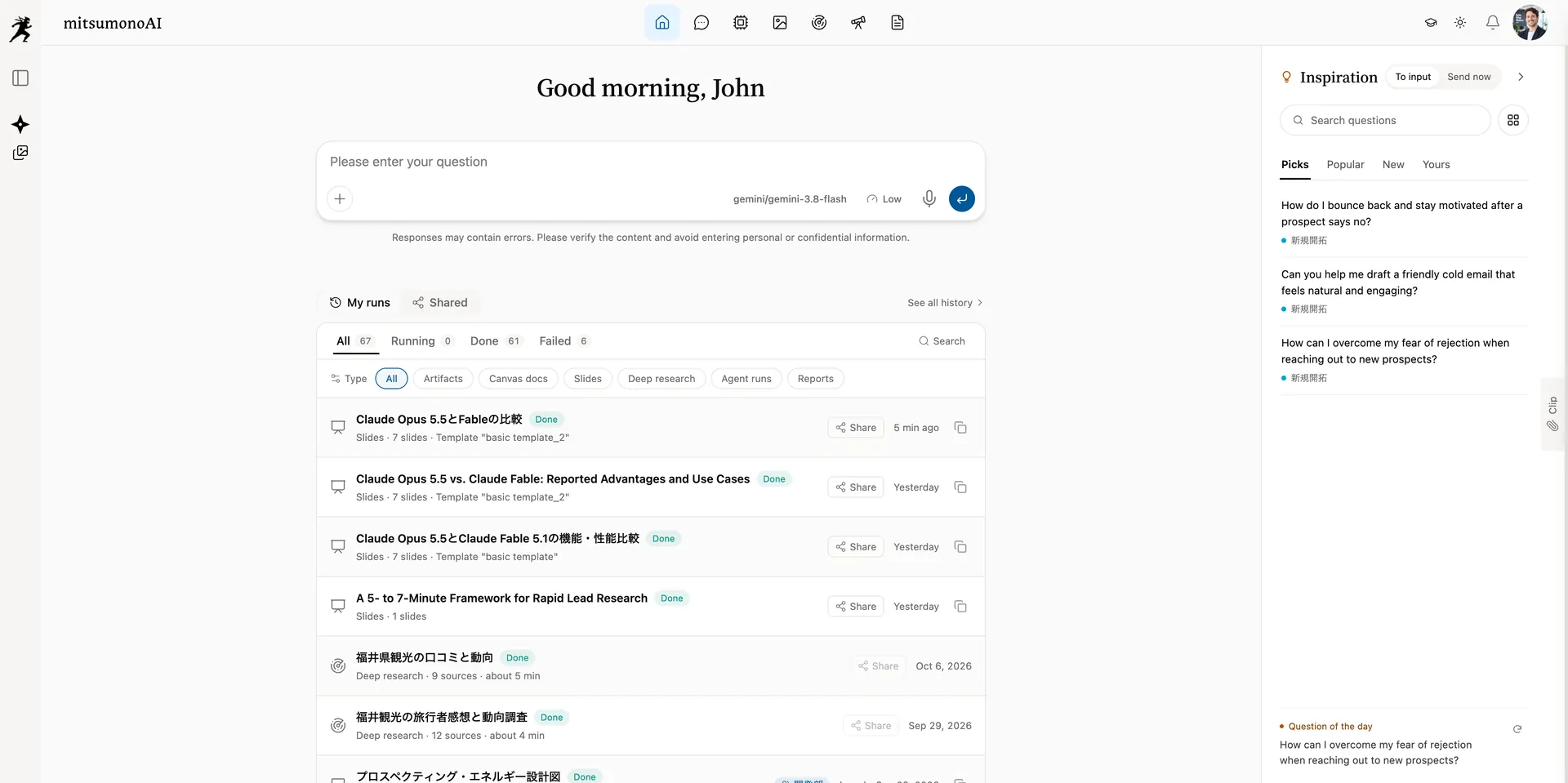
Supported providers & workflow engines
You rolled out AI. But has the work changed?
Many companies have adopted generative AI, yet still use it the same way: ask, get an answer, copy it. mitsumonoAI workspace is built for what comes next.
- Ask
- Get an answer
- Copy it
This is where AI use stops at most companies.
- 01ASKAsk AI
Consult an AI built for the task and sort out your thinking.
- 02CREATECreate documents, tables, images, and HTML
Don't stop at an answer — finish deliverables you can use as is.
- 03WORKDelegate research, analysis, and reports
Hand off time-consuming work to AI, step by step.
- 04CONNECTConnect to company data and business systems
Make your data and workflows available to AI.
- 05AUTOMATEAutomate the work itself
Let AI run routine work on schedule.
From AI that answers,
to AI that works with you.
Beyond the chat, there is work.
Talk, research, create, delegate, and finish together — the whole flow of work, in one product.
Talk with AIs prepared for each task. Infographics, HTML, and documents are generated right from the flow of the conversation.
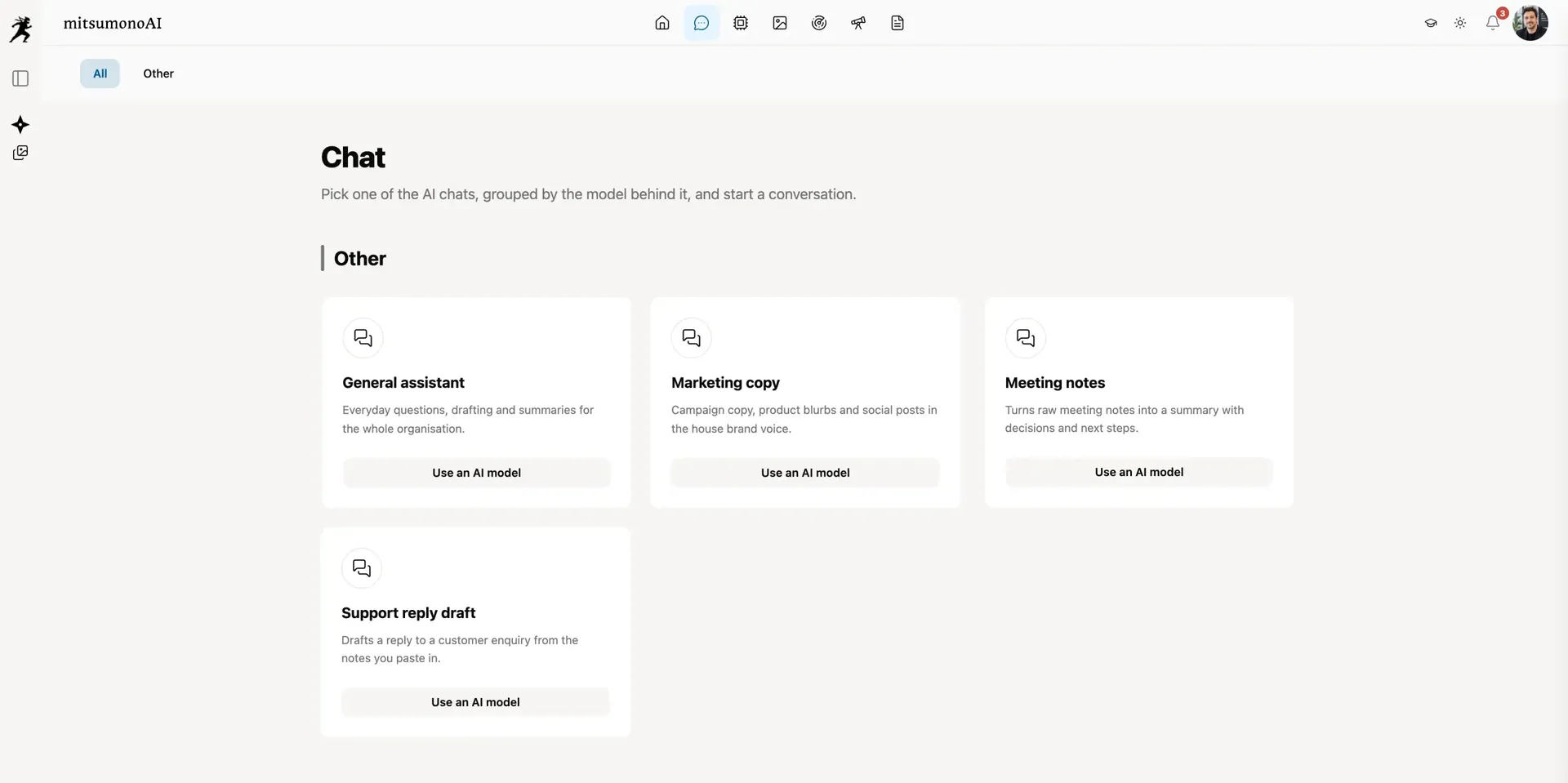
You don't have to pick just one AI.
The best AI depends on the job.
Writing, analysis, images, research, coding — with mitsumonoAI workspace, you choose the right model for each purpose. When a new AI arrives, there is no need to rebuild your platform.
Turn the AI you build into company work.
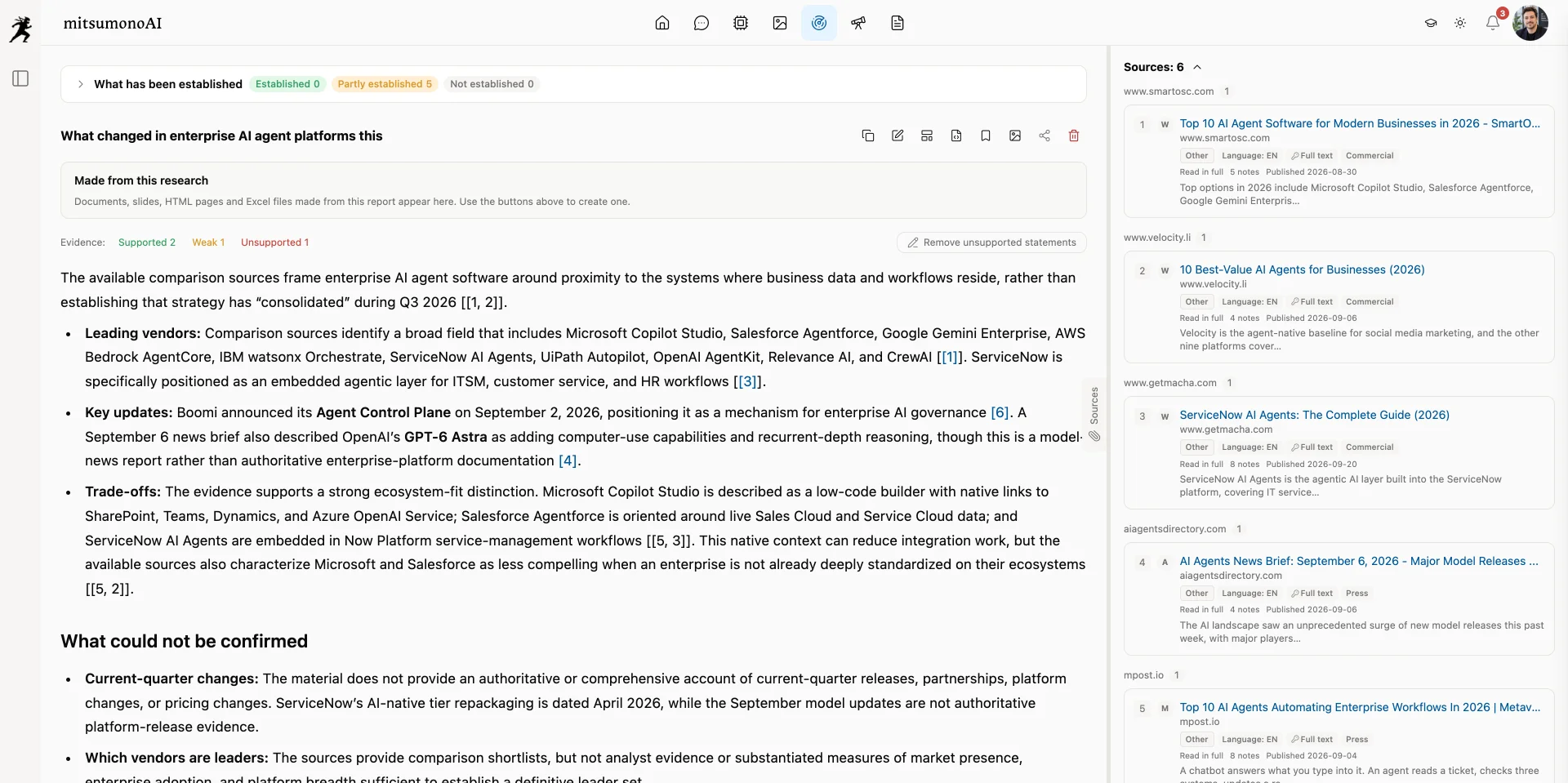
AI built in Dify.
Business processes connected with n8n.
Agents developed with LangChain.
All of it, ready for every employee to use.
Bring in workflows published around the world, or ones you built yourself, and offer them to every employee through mitsumonoAI workspace. mitsumonoAI workspace takes care of the governance: permissions, spending limits, and usage records.
Combine them, and the possibilities grow
Analyze an audio file attached in chat with a Dify workflow — from transcription to finished minutes.
Load policies and manuals into Dify's knowledge base and publish an AI that answers with its sources.
Call processes that use n8n's integrations — Slack, Google Drive, SharePoint, Salesforce, and more — straight from chat.
Offer agents that follow your company's own review and check procedures through the employee-facing UI.
These are examples of combinations. Required settings vary by configuration.
Don't leave AI to a few power users.
A company doesn't change while only its AI-savvy staff use it well. mitsumonoAI workspace gives everyone — with or without prompt know-how — a way to get the same quality.
Admins prepare AIs with instructions and reference material. Users pick one from the list and start.
Start from example questions by industry and task — no more not knowing what to ask.
Share and save the deliverables and prompts that got results, and reuse them as a team. One person's know-how becomes the organization's standard.
Register your writing style and slide templates, and everything comes out at the same quality, whoever makes it.
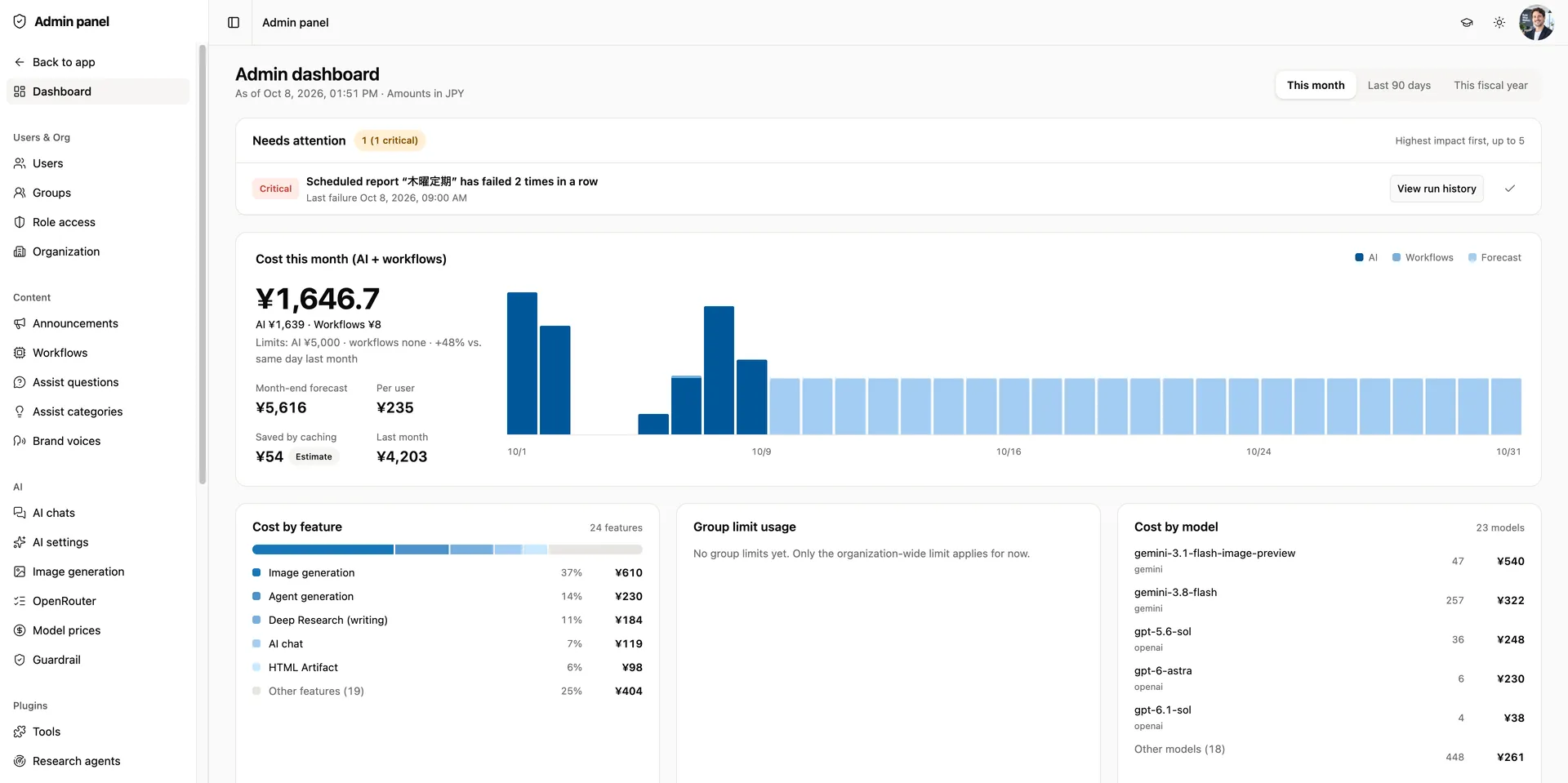
Check usage and cost by department and feature, then reach teams that aren't using it and add the AIs people need.
Turn individual AI use into the organization's strength.
From pre-deployment interviews to building purpose-built AIs and templates and running internal workshops,we and our integration partners support you until AI takes root in your organization.
Ask about adoption supportIt's your company's AI, so your company is in control.
With most generative AI services, where data is stored, which models you can use, and how they are governed all follow the vendor's specifications. mitsumonoAI workspace was designed from the start to put every one of those decisions in your hands.
Conversations, files, deliverables, logs, and settings are stored in an environment you manage.
Choose the providers you connect and the models you offer to users.
Separate available features and admin scope by department, group, and role.
Set spending caps for the organization, each group, and each user. Work beyond the cap stops automatically.
Inspect inputs, attachments, and answers, and stop information that shouldn't go out.
Conversations, deliverables, and logs are deleted automatically once their retention period ends.
Only what the AI needs to generate an answer leaves your environment. Conversations, outputs, and usage logs stay inside.
When external AI is used, the data needed for processing is sent to each provider and handled under your contract with them. OpenRouter lets you exclude providers that train on inputs or retain data.
Installing and updating follow the same steps — no migration project for every new version.
Free to use. Fully governed.
Who can use what, how much they use, what is recorded, and when it is deleted — every operating rule lives as a setting in the admin console.
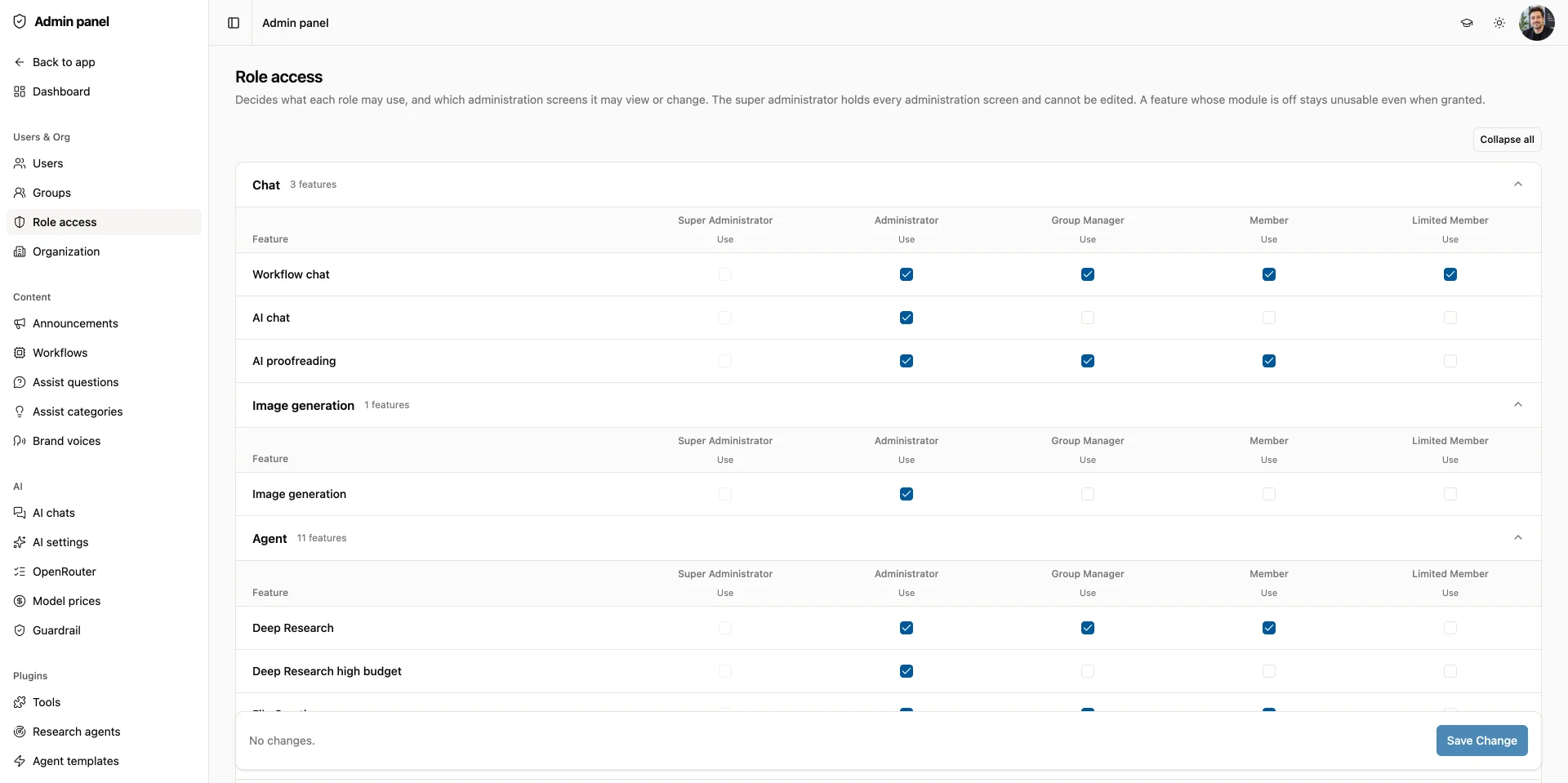
Stop impersonation and unexpected connections at the door.
Only people who meet all three conditions — license, organization, and role — can use a feature.
If something cannot be inspected, the request does not run.
Work stops automatically when a cap is reached.
Export to CSV for audits and internal reviews.
Conversations, deliverables, and logs are removed on the schedule you set.
Input inspection (Google Model Armor) is optional and off by default. It requires a Google Cloud contract and connection setup. Inspection logs keep only the verdict, never the content.
Not another SaaS. No need to build from scratch.
But you adapt to the service's specifications.
But it takes time and money.
And grow it to fit your company.
Ready to use. Ready to change.
Use it today. Change it to fit your company.
Compare in detail
| Criteria | Domestic enterprise SaaS | Global per-seat services | In-house build | mitsumonoAI workspace |
|---|---|---|---|---|
| Where data is stored | Vendor's cloud | Vendor's cloud | Your environment | Your environment (never reaches us) |
| Available AI models | Several major models | Mostly the vendor's own | Only what you implement | 4 major providers + 400 models |
| Dify / n8n / LangChain | Not supported | Not supported | Custom development | Bring in and publish company-wide |
| Deliverables & scheduling | Partial, by service | Partial | Custom development | Docs, tables, images, scheduled reports, agents |
| Permissions, inspection, cost | Standard admin features | Standard admin features | Build from scratch | 3-layer access, inspection, group limits |
| Modifying features | Not possible | Not possible | Fully possible | Modify in-house with provided source |
| After the contract ends | No longer usable | No longer usable | Keeps working | Your purchased version keeps working |
| Pricing model | From a few dollars per user / flat company plans (often usage-capped) | From about $20 per user per month | Development + maintenance | One-time license + annual maintenance + actual AI usage |
A summary of general trends based on public information as of October 2026. It does not rank any individual service.
From just you to the whole company.
Adding people never piles up monthly fees for users who don't use it.
You pay for just three things: a one-time license, annual maintenance, and the AI usage and server costs you actually incur. AI fees stay at each provider's list price — we add no markup.
※ License prices exclude tax and are planned prices as of September 2026. Installation work and custom modifications are not included.
SUPPORT
Technical Support
Ticket-based technical support, chosen to match your operating team and how quickly you need answers.
See what support covers and how tickets work
| Tier | Monthly billing | Annual billing |
|---|---|---|
| PLUS | $300 / month · 2 tickets per month | $3,600 / year · 26 tickets granted up front |
| Enterprise | $2,000– / month · 10 tickets per month | $24,000– / year · 132 tickets granted up front |
| Item | Handling |
|---|---|
| Scope of one ticket | One issue. A separate issue is a separate ticket |
| Exchange limit | Up to three replies from us. Beyond that, another ticket is consumed or the work is quoted separately |
| Slack requests | Counted per thread as one issue, consuming the same tickets |
| Carry-over (monthly billing) | Unused tickets carry over. The balance is capped at 6 for PLUS and 30 for Enterprise |
| First month (monthly billing) | Double the usual allowance, for the questions that come with a new deployment |
| Additional tickets | $150 each, the same price in every tier |
| Closing | A ticket closes after 7 business days without a reply. Reopening the same issue starts a new ticket |
- ※ Annual billing costs the same as twelve months of monthly billing. Tickets are granted up front at 10% above the monthly equivalent (rounded down) and are valid only within the contract period. Unused tickets are neither carried over nor refunded.
- ※ First-response times are counted during business hours, 9:00 to 18:00, excluding Saturdays, Sundays, public holidays and our company holidays.
- ※ All prices exclude tax.
- ※ Consultation on customization, and support for customized applications, are not included in the support above. They are quoted separately according to the scope.
- ※ If you deploy through a sales and implementation partner, the partner is your first point of contact.
Every cost, in plain view.
Beyond the license, you pay only for the AI usage and server costs you actually incur. Here is a three-year estimate and how it compares with global per-seat services.
The three-year total (license, maintenance, AI usage, and servers) divided per user per month.
Typical use over 36 months. Our figure includes license, maintenance, AI usage, and servers.Per-seat pricing at $20 per user per month (billed annually), with AI usage included within plan limits.
Low-cost models for everyday work, the latest high-end models for research and important documents — spend where it pays off.
Conversations, outputs, and decisions stay with you as the foundation for future improvements and AI use.
Set storage, retention, inspection, and records to match your policies, and manage permissions and cost in one place.
Optimize it for your business with the provided source, and bring in Dify, n8n, and LangChain workflows.
See the monthly cost breakdown
Each month you pay only for the AI usage and servers you use. Even with the latest models in the mix, typical use comes to about $7–10 per user per month.
| Item | 50 users | 200 users |
|---|---|---|
| AI usage | ≈ $271 | ≈ $1,084 |
| Image generation & web search | ≈ $17–115 | ≈ $70–455 |
| Servers (Laravel Cloud) | ≈ $52–77 | ≈ $258–452 |
| Monthly total | ≈ $340–460 | ≈ $1,410–1,990 |
| Per user | ≈ $7–9 | ≈ $7–10 |
※ Assumes 70% of employees use it about 15 times a day, mostly on low-cost models with some high-end use. Estimated using public USD prices as of September 2026.
AI will change. Your foundation stays.
AI models will change.
New agents will appear.
New workflows will emerge.
So instead of fitting your company to a particular AI, build a place inside your company that can take in AI as it keeps changing.
AI chat, Dify / n8n / LangChain integration (including meeting minutes), artifacts, image generation, research, agents, data sources & reports, shared workspace, and the full admin suite.
Search only approved internal documents as the basis for answers, with sources shown. Manage everything from ingestion to review and publishing in the admin console.
Web monitoring, a work ledger, daily reports, AI impact reviews, and next-morning briefings.
Drafted replies to inquiries that turn into knowledge, and a memory feature whose contents each user controls (personalization).
Timing and scope may change. New features are delivered through annual maintenance and updates.
From first conversation to lasting adoption.
We and our integration partners support you from designing the setup to making AI stick. You can also try the free edition (up to 3 users) first.
We learn about your user count, goals, security requirements, and any existing workflow engines.
Decide where it runs, which AI providers to use, whether to inspect input, and which edition fits.
Install it in your environment and configure models, permissions, purpose-built AIs, and workflow connections.
Open it to target departments and, through workshops and reviews, make sure people keep using it.
With screenshots throughout, the details page covers every feature for users and admins, security, system requirements, and how to install and update.
See product details ↗Frequently asked questions
Where is our data stored?
In a dedicated environment installed wherever you choose. Nothing is sent to us. The only data that leaves is what your configured AI providers need to generate answers.
Can a small or mid-sized company use it?
Yes. Start with the free edition for up to 3 users, then choose Business for up to 50 or Enterprise for up to 200. For servers, we recommend Laravel Cloud to keep operations light.
Will our employees actually be able to use it?
Admins can prepare purpose-built AIs, example questions, and templates, so users simply choose and type. We and our integration partners also support adoption across your organization.
Do we need Dify or another workflow engine?
No. Register an AI provider key and AI chat works from day one. You can connect Dify, n8n, or LangChain whenever you need them.
What happens if we don't renew maintenance?
Your purchased version keeps working. Security updates, new features, and technical support are no longer provided.
Are server and AI usage fees included in the price?
No. You contract and pay each provider for servers, cloud, and AI usage directly — with no markup from us.